
Class 9th - 12th Track6 Weeks CohortTopic-Linked Attendance Enabled Best Excel course for students

Excel for Career Readiness

Best Excel course for students & career switchers — Learn XLOOKUP and Data Cleaning online

Master Microsoft Excel from essential formulas and conditional formatting to modern XLOOKUP, pivot tables, data cleaning, and dynamic executive dashboards.

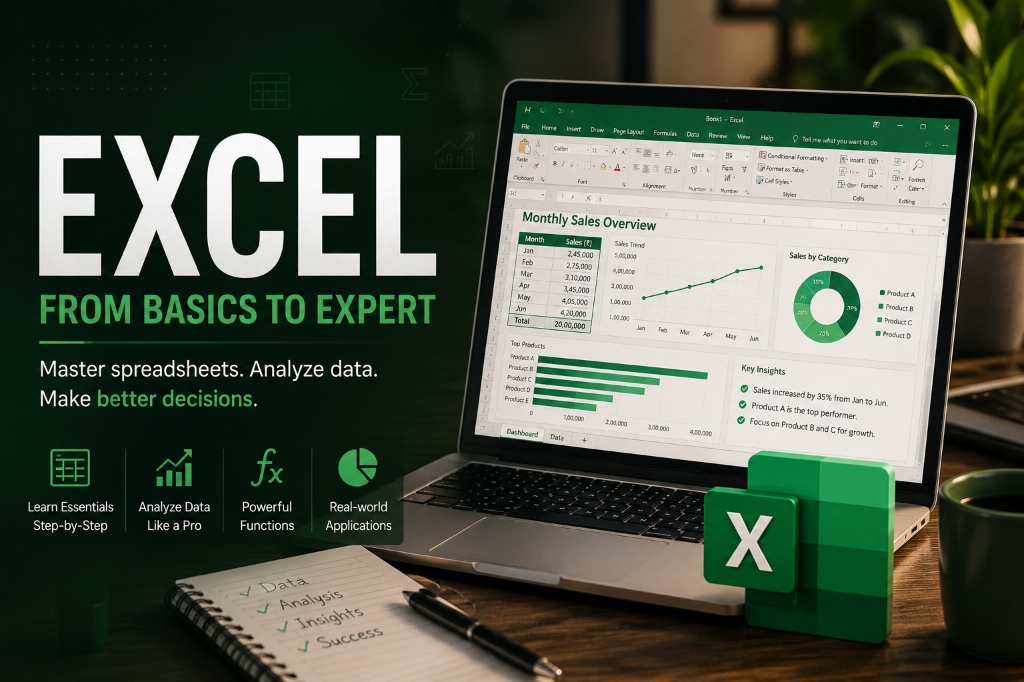
Key Skills You Will Master:
Microsoft ExcelFormulas & MathXLOOKUP / VLOOKUPPivot TablesData CleaningDashboards
Lead Instructor Vikramaditya Iyer
Lead Instructor
Vikramaditya Iyer
Ex-Tech Lead & STEM Mentor (IIT Madras Alum)
Master Excel for Career Readiness — Online Course Overview & Curriculum Thumbnail
Total Program Fee (Full Cohort + Materials)
₹2,499₹3,499Save 29%
Choose Your CohortLive Interactive
Next cohort starting next weekend • 5:00 PM IST
12 Live Hybrid Interactive Sessions
19 Granular Tracked Topics
Downloadable datasets, cheatsheets & spreadsheets
Verifiable Certificate upon 85%+ topic completion
Syllabus Breakdown

Course Structure — Learn XLOOKUP and Data Cleaning online

The best Excel course for students and professionals. Click on any module to inspect live sessions and the exact syllabus tested & tracked for attendance.

Session 1 • 90 Minutes Live

Session 1: Interface, Navigation & Data Formatting

Granular Tracked Topics (2):
Ribbon, Cell Coordinates & Number Formatting
Data Types, Autofill & Custom Cell Styles
Hands-on Challenge: Monthly Family Budget Sheet

Create a cleanly formatted personal expense sheet with currency formats.

Session 2 • 90 Minutes Live

Session 2: Formulas & Cell Referencing

Granular Tracked Topics (2):
Basic Arithmetic (+, -, *, /) & SUM/AVERAGE
Relative vs Absolute ($A$1) Cell Referencing
Hands-on Challenge: Automated Product Quotation & GST Calculator

Compute unit prices, discounts, and GST using absolute cell referencing.

Session 3 • 90 Minutes Live

Session 3: Logical Formulas & Conditional Formatting

Granular Tracked Topics (2):
IF, AND, OR Logical Statements & Nested Conditions
Conditional Formatting (Color Scales, Data Bars)
Hands-on Challenge: Student Exam Grading & Pass/Fail Status

Auto-grade student percentages using nested IF statements.

Session 4 • 90 Minutes Live

Session 4: Aggregation Functions (COUNTIF / SUMIF)

Granular Tracked Topics (1):
COUNT, COUNTA, COUNTIF, and SUMIF Calculations
Session 1 • 90 Minutes Live

Session 5: Sorting, Filtering & Data Validation

Granular Tracked Topics (2):
Multi-Level Sorting & Advanced Custom Filters
Data Validation Lists & Input Error Alerts
Hands-on Challenge: Employee Request Form with Dropdown Validations

Enforce strict dates and department dropdown validation rules.

Session 2 • 90 Minutes Live

Session 6: Lookup Functions (VLOOKUP & XLOOKUP)

Granular Tracked Topics (2):
VLOOKUP Exact vs Approximate Matches & IFERROR
Modern XLOOKUP with Multiple Return Columns
Hands-on Challenge: Product Pricing & Barcode SKU Lookup Tool

Match SKU codes to product pricing and suppliers with IFERROR handling.

Session 3 • 90 Minutes Live

Session 7: Text & Date Manipulation Functions

Granular Tracked Topics (2):
TEXTJOIN, LEFT, RIGHT, MID, TRIM, PROPER
DATE, DATEDIF, and Real-time Age Calculations
Session 4 • 90 Minutes Live

Session 8: Data Cleaning & Deduplication

Granular Tracked Topics (1):
Text-to-Columns Wizard, Flash Fill & Deduplication
Intermediate Milestone Project: Retail Inventory & Reorder Tracker

A multi-sheet workbook matching sales to supplier catalogs with XLOOKUP and auto-alerting stock deficits.

Deliverable: Cleaned spreadsheet with automated lookup catalogs and low-stock indicators.
Session 1 • 90 Minutes Live

Session 9: Charts & Visual Storytelling

Granular Tracked Topics (1):
Bar, Line, Combination Charts & Dual Axes
Hands-on Challenge: 5-Year Revenue & Margin Dual-Axis Chart

Plot sales revenue on primary axis and profit margin % on secondary axis.

Session 2 • 90 Minutes Live

Session 10: Pivot Tables Deep Dive

Granular Tracked Topics (2):
Building Pivot Tables, Grouping Dates & % of Total
Calculated Fields & Multi-dimensional Summary
Session 3 • 90 Minutes Live

Session 11: Pivot Charts, Slicers & Dashboard Layout

Granular Tracked Topics (1):
Connecting Slicers to Multiple Pivot Tables
Session 4 • 90 Minutes Live

Session 12: Executive Capstone Presentation

Granular Tracked Topics (1):
Dashboard Presentation, Formatting & PDF Export
Graduation Capstone Portfolio

Executive E-Commerce Sales & Profitability Dashboard

Design a dynamic Excel dashboard analyzing 50,000+ sales records across product categories and regions with synchronized slicers.

Deliverable:
Multi-tab interactive Excel Workbook + PDF Executive Summary

What You Will Be Able To Do — Practical Excel Mastery

Master essential business formulas (SUMIFS, COUNTIFS, IF, XLOOKUP)
Automate data cleaning and remove errors from messy imported spreadsheets
Build multi-source pivot tables with calculated fields and grouping
Create interactive executive dashboards connected with slicers and timelines

Prerequisites

No prior experience needed. Microsoft Excel or Google Sheets.

Pdhoindia AI Assistant
Ask me anything about courses, pricing & more
Hi there! 👋 I'm the Pdhoindia AI Assistant. I can help you with courses, pricing, schedules, refund policies, and more.
What would you like to know?
Powered by Pdhoindia Knowledge Base